To download this information you will need to log into the Web App .
Once logged in navigate to the Map using the link on the left hand side. Select the station you need data from. This should show you the status and details of that station and at the very bottom is the option to export the station's data, click there to start the process.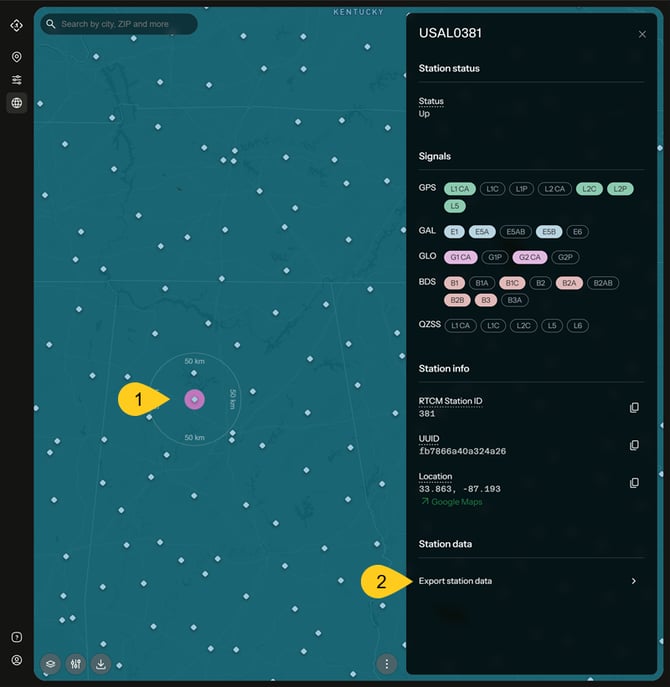
This will open a new window asking for the date range and the format of data you wish to download. You can request up to 72 hours of observations from the last 3 months which can optionally include the broadcast ephemeris data.
Note the times are UTC. The page should detect your time zone and you can click the offered link to switch the time to a more friendly format.
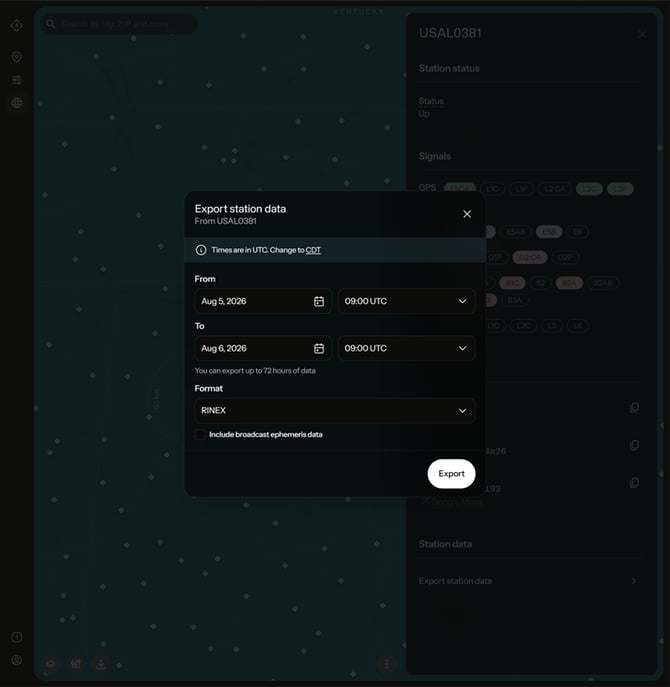
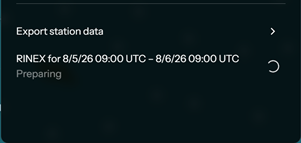
Once you have everything set to your satisfaction and hit the Export button the system will process the request and you will see a Preparing message. It may take a few minutes for the data to process.
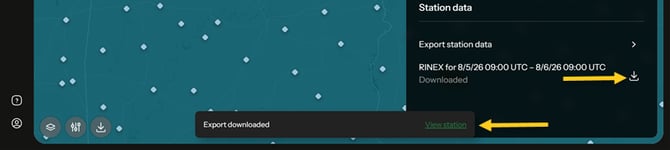
If you switch stations or otherwise browse away from the map a notification will appear when your data is ready to download. This allows you to quickly return to the station by clicking on "View station". You can also click on a station you have requested data from to access the download option.
Click on the download icon to download a zipped file in the format you requested.